How to track the status of each Google Forms response?
"owners cannot track which individual entries they have already checked"- Google Docs Editors Community
This is a common problem once responses pile up. If you collect payment screenshots through a Google Form and more than 1,000 responses have come in, each one has to be checked before that person is confirmed, and your team shares the work. Google's Responses tab doesn't show which ones you've checked, and a status column in the Sheet only works if everyone remembers it.
In this article, we will show you how to give every response a status on a board, so that your team sees what is checked and what is waiting.
1. Import your Google Form
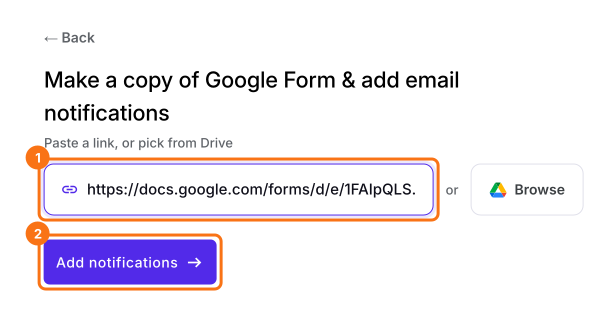
Click Import Google Form, paste your payment form's link and click Add notifications. If you have no form yet, click Create a new form instead.
2. Add a Checked status
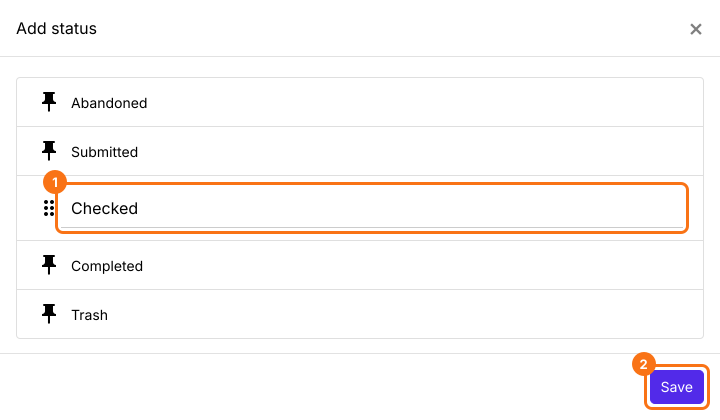
Open RESPONSES, then Kanban board, and close any Email respondent box that opens. Click + STATUS, type Checked and click Save.
3. Check a payment and move it
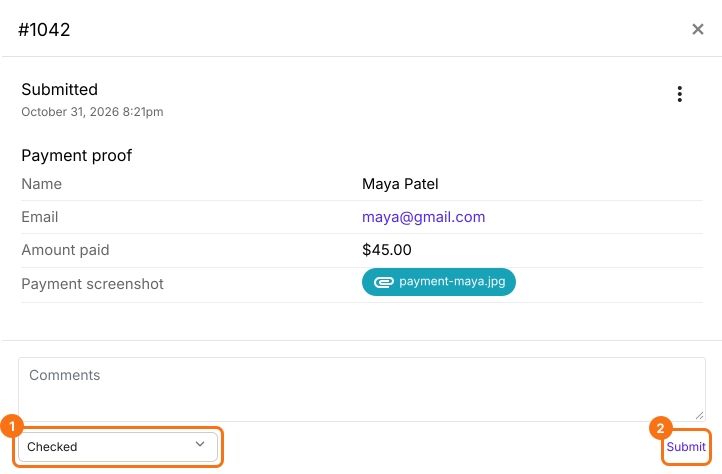
Click a card on the board and open its screenshot. Pick Checked under - Move to - and click Submit.
4. Share the work with your team
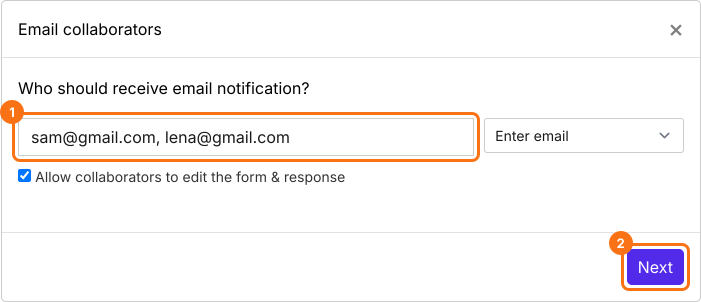
Click the three dots on the Submitted column, then Notify collaborators, type your team's emails and click Next through the setup. Each new response reaches them in Gmail, where they pick Checked under - Move to - and click Send.
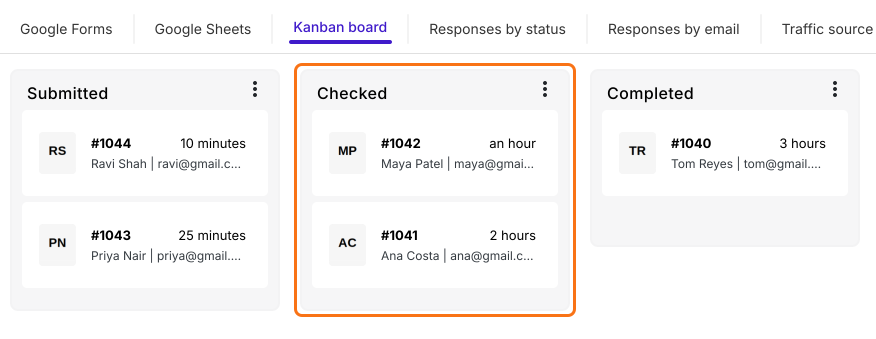
5. See what is checked and what is waiting
Every payment sits under its status, so nobody checks the same one twice. The ones under Submitted are still waiting.
Summary
If more than 1,000 responses need checking and your team shares the work, Google Forms can't show which ones are done, and a status column only works if everyone remembers it. With Formfacade, every response sits on a board with a status, so anyone can see what is checked and what is waiting.
Last updated: